What “kennel software” actually means today
Short answer: “kennel software” is an umbrella term for three different kinds of tools — full kennel management software that runs your whole business, booking and reservation tools that fill your calendar, and a newer owner-updates layer that keeps pet parents calm while their dog is with you. When someone searches for the best kennel software, they usually have one of those three problems, and the wrong category will not solve it no matter how good the product is.
I run a boarding hotel myself, and for years I thought “software” meant one big system that did everything. That is how most pet boarding software is marketed. In practice, the facilities I know that run smoothly have picked one strong tool for the money side and one simple tool for the people side, and they ignore the rest.
This guide is written for owners and managers of dog boarding kennels, pet hotels, and daycares who are tired of demo calls that all sound the same. We will walk through the categories, name the products people actually compare, be honest about where Wuuf fits (and where it does not), and finish with a buying process you can run in two weeks.
The three categories of pet boarding software
Short answer: full PMS suites run the business, booking tools fill the calendar, and the owner-updates layer handles communication during the stay. You rarely need all three from one vendor, and trying to buy them in one box is how pet hotels end up paying for features nobody opens.
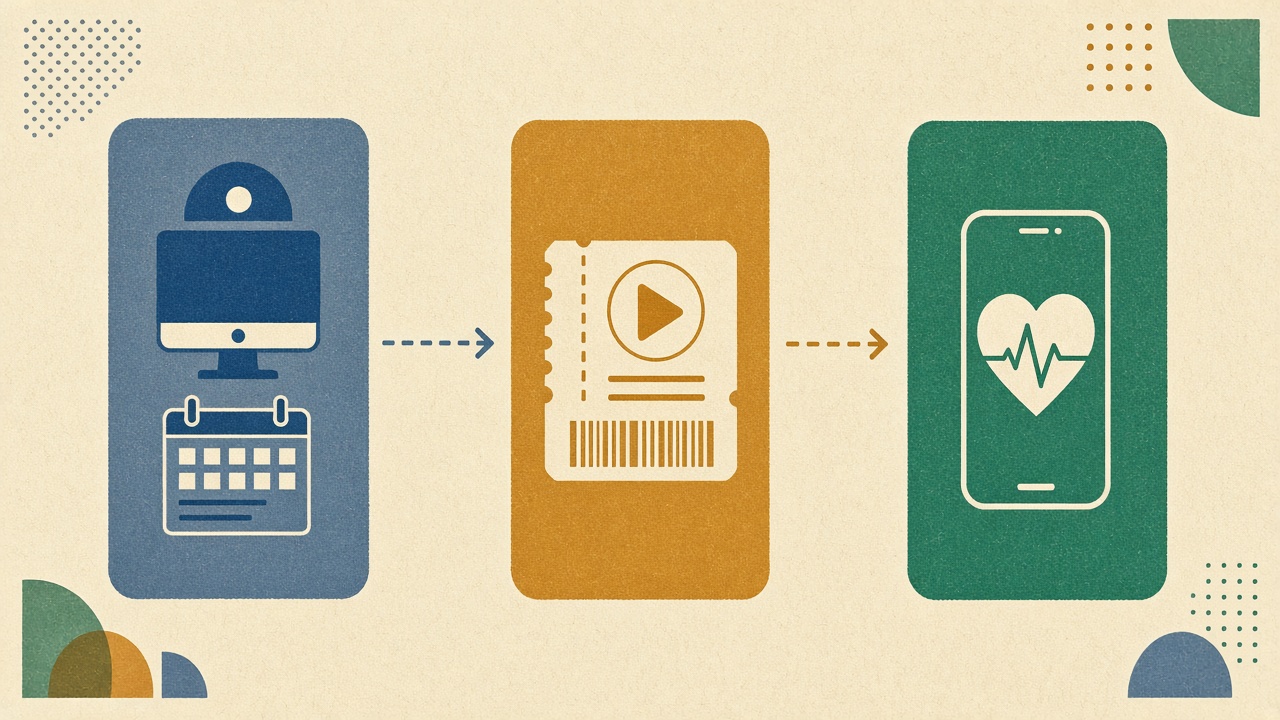
Here is how I explain it to other owners over coffee. Think of your kennel as three jobs: getting dogs booked and paid, running the day on the floor, and keeping owners happy while their dog is here. Each job has a different rhythm, a different user, and a different device.
- •Full kennel management software (PMS): reservations, run assignments, invoicing, POS, vaccination records, customer database, reporting. Used mostly by the front desk and the owner on a desktop. Examples people compare: Gingr, Kennel Connection, PetExec, Pawfinity, Revelation Pets.
- •Booking and reservation tools: online booking widget, deposits, calendar sync, reminders. Often part of a PMS, sometimes stand-alone. Used by clients at home and by whoever answers the phone.
- •Owner-updates layer: live stay pages, one-tap activity logs, photos, wellness notes, pick-up readiness. Used by kennel staff on their phones during walks and feeds, and by owners on theirs. This is the layer Wuuf lives in.
Category 1: Full kennel management software (the PMS)
Short answer: a full PMS is the right choice when your biggest headaches are double bookings, chasing payments, lost vaccination records, or not knowing which run is free on Saturday. It is a business system first and a care tool second.
Full kennel management software is what most people picture when they say “dog boarding software.” It is the system of record. The good ones handle the whole lifecycle: a client books online, the system checks capacity, takes a deposit, flags an expired rabies certificate, assigns a run, prints a kennel card, builds the invoice with add-ons, and closes it out at pick-up with a card swipe.
That is a lot of value for a busy facility. It is also a lot of setup. Expect to migrate your customer list, configure services and pricing, train the front desk, and spend a few weeks fighting defaults. Budget-wise, the established animal boarding software suites generally land somewhere between $100 and $300+ per month depending on location count and modules, and several charge onboarding fees on top. Prices move, so check each vendor directly — I am giving you a range, not a quote.
What a PMS does not do well is the floor. Kennel staff are outside with a leash in one hand. They do not open a desktop reservation screen to note that Biscuit ate half her breakfast. In most facilities I visit, the “report card” feature in the PMS is either unused or filled in from memory at 5pm. That gap is exactly why the owner-updates layer exists.
Category 2: Booking and reservation tools
Short answer: if you are small, mostly full through word of mouth, and your pain is simply taking bookings without playing phone tag, a lightweight booking tool may be all the “kennel booking software” you need.
Booking tools are the front door. Some facilities use a generic appointment tool, some use the booking module of their PMS, and some still run a paper diary that works fine until the one week it doesn’t. For a dog boarding kennel with a dozen runs and a loyal client base, an online booking form plus a deposit is often enough.
The trap is assuming the booking tool will also keep owners informed once the dog is in the building. It won’t. A confirmation email on Monday does nothing for the owner who is nervous on Wednesday. We wrote a longer piece on this split in kennel booking vs owner updates, because it is the single most common confusion we hear from pet hotels.
- •Good fit: small boarding kennel or home boarder, under ~15 concurrent stays, bookings are the bottleneck
- •Watch for: tools built for salons or gyms that have no concept of a multi-day stay, a pet profile, or vaccination expiry
- •Pair it with: a separate owner-updates layer so the stay itself is not a black box
Category 3: The owner-updates layer (where Wuuf lives)
Short answer: the owner-updates layer is software for the stay itself. Staff log walks, meals, meds, photos, and wellness in one tap from any phone; the owner watches a private live page via magic link or QR. It replaces the WhatsApp group and the “is my dog ok?” calls — and it deliberately does not replace your booking or billing system.
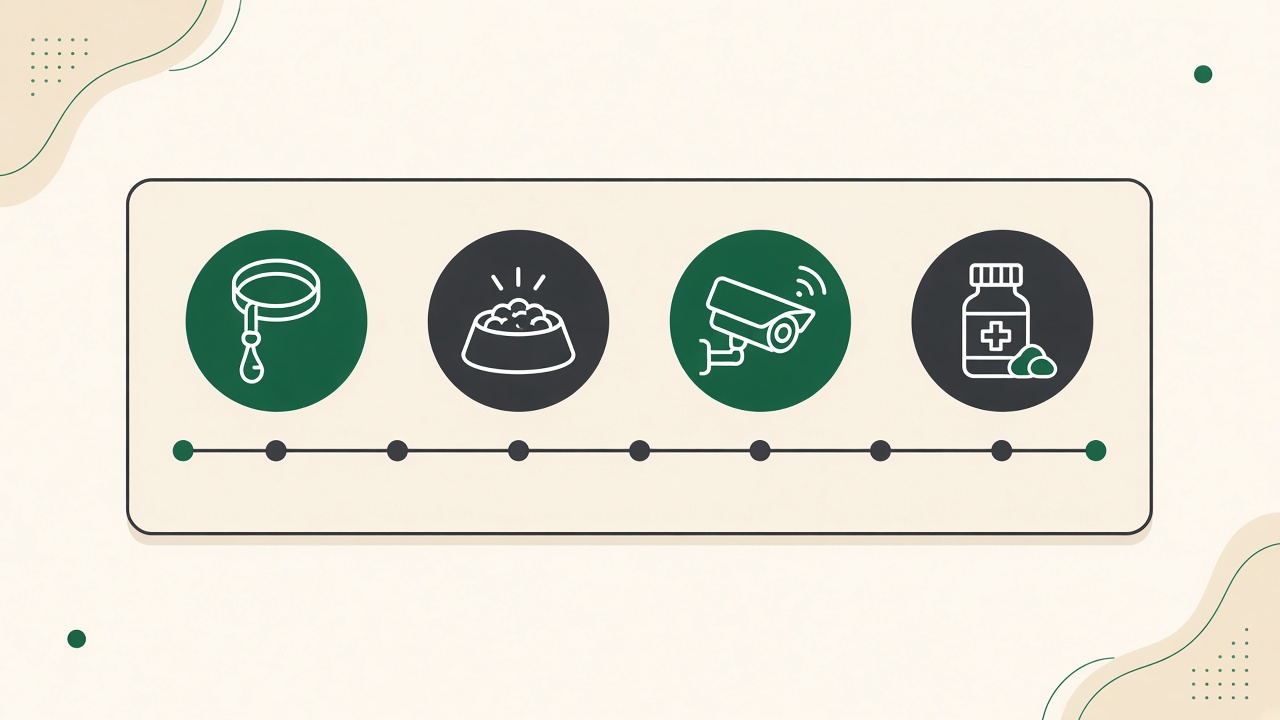
This is the category Wuuf was built for, so let me be upfront about the bias and then tell you honestly what it is and is not. Wuuf gives every stay a live owner page. When you check a dog in, the owner gets a link (text it, email it, or let them scan the QR at the desk). From then on, every tap your team makes — walk done, lunch eaten, meds given, photo of nap time, “a bit quiet today” wellness note — appears on that page with a timestamp.
Owners do not download an app. They do not create an account. They open the link, see their dog, and go back to their holiday. Your staff do not type anything twice. The front desk stops being a call centre. That is the whole product, and we think it should stay that small.
What Wuuf is not: it is not a full pet kennel software suite. There is no online booking engine, no POS, no payroll, no vaccination reminder engine. If you need those, you need a PMS, and Wuuf sits next to it. Plenty of our customers run Gingr or Kennel Connection for the business side and Wuuf for the owner side. Some run a paper diary and Wuuf. Both work.
Kennel software reviews: the tools people actually compare
Short answer: in the full-PMS category, the names that come up most in kennel software reviews are Gingr, Kennel Connection, PetExec, Revelation Pets, and Pawfinity, alongside generic appointment suites. All of them are credible. None of them is a communication layer, and that is the distinction to keep in mind.
I am not going to rank these, for two reasons. First, I do not run every one of them in production, and ranking software you have only demoed is how bad advice gets written. Second, the right pick depends on your size, your country, and whether you also run daycare, grooming, or training. What I can do is tell you how other owners describe them to me and what questions to bring to the demo.
- •Gingr — frequently described as the most complete all-in-one for multi-service facilities (boarding + daycare + grooming + retail). Deep feature set, correspondingly deep setup. Ask about per-location pricing and how report cards get filled in from the floor.
- •Kennel Connection — long-standing boarding kennel software with a loyal base, strong on scheduling and kennel-run logic. Ask about the cloud vs desktop versions and how mobile the staff experience actually is.
- •PetExec, Revelation Pets, Pawfinity and similar — mid-market suites, each with a different emphasis (daycare packages, simplicity, pricing). Ask for a trial with your own data, not a sandbox.
- •Generic suites (salon, appointment, or “pet business” platforms) — fine for booking, usually weak on multi-day stays and owner visibility. Ask what a seven-night stay with meds twice a day looks like in the system.
- •Wuuf — not a PMS. The owner-updates layer: live pages, one-tap logs, photos, wellness, pick-up readiness. Free plan up to 10 stays a month, paid from $29/mo. Pairs with any of the above.
Why a PMS alone does not stop the phone ringing
Short answer: a PMS is built around the reservation, not the hour-by-hour stay. Owners call because they cannot see anything between drop-off and pick-up, and no amount of invoicing accuracy fills that gap. A live page does.
Here is a scene from my own front desk before we fixed this. Tuesday, 10:40am. Two dogs arriving, one leaving, the groomer is running late, and the phone rings: “Hi, just checking — did Milo settle in?” He did. He is asleep in the sun. But now someone has to go look, come back, and say so, kindly, because this is a paying client with a nervous heart. Multiply that by fifteen dogs and you have lost a morning.
Nothing in the reservation system could have prevented that call. The owner was not asking about the invoice. They were asking for proof that their dog was fine. Our piece on stopping “is my dog ok?” calls goes deeper, but the short version is: owners who can see a timestamped walk log and a photo from an hour ago simply do not call. When they do message, it is to say thanks.
This is why we argue that pet boarding software is really two purchases. One to run the business. One to run the relationship. The second one is cheaper and faster to roll out, and for a lot of kennels it is the one that changes the day.
What dog boarding kennel software should do on the floor
Short answer: on the floor, kennel software has to work one-handed, outdoors, on a shared phone, in under five seconds per log. If it needs a desktop, a password, or a paragraph of typing, your team will skip it by the second week.
When you evaluate the care side of any dog boarding kennel software — whether it is a PMS report card module or a dedicated layer like Wuuf — put a phone in the hand of your least technical staff member and watch them log a walk. That one test tells you more than any feature list.
- •One tap per activity: walk, meal (with how much was eaten), meds, play, potty, nap. No free text required.
- •Photos in two taps, straight from the camera, landing on the owner page with a timestamp.
- •Wellness notes with a simple scale (bright, normal, quiet, concern) so a handover between shifts is not a game of telephone.
- •A shared facility login, so staff use the kennel’s device rather than their personal WhatsApp.
- •A pick-up readiness state the front desk can flip when the dog is bathed, packed, and ready — so the owner knows before they arrive.
- •A per-pet timeline you can scroll at 6pm when someone asks “did he actually get his evening tablet?”
What pet kennel software should do at the front desk
Short answer: at the desk you need capacity, money, and records — availability by run or room, deposits and invoices, vaccination expiry, and a client history you can trust. This is PMS territory, and it is worth paying for if those are your pain points.
If the floor test is about speed, the desk test is about trust. Can the system tell you, without a spreadsheet, that you are overbooked on the Friday before a bank holiday? Does it stop a check-in when the kennel cough vaccine lapsed last month? Can it tell you that this client always adds an exit bath and never pays on time?
Those are genuinely hard problems and the mature animal boarding software suites have spent a decade on them. I would not try to replace them with a general-purpose calendar or a spreadsheet past about fifteen runs. I also would not expect them to make your owners feel calm. Different job.
How to choose: a pain-first decision tree
Short answer: name your single loudest pain, then buy the category that solves it. Booking chaos → PMS or booking tool. Phone and WhatsApp overload → owner-updates layer. Both → PMS plus a communication layer, and roll out the communication layer first because it is the fastest win.
If you want the longer version with a scoring sheet, read choosing pet boarding software. Here is the two-minute version I give owners who call me.
- 1Write down the one thing that ruined last Saturday. Be specific: “double-booked two large runs” is a PMS problem; “answered the same ‘how is she?’ text nine times” is a communication problem.
- 2Count concurrent stays at peak. Under ~10, a simple booking tool plus live owner pages is usually enough. Over ~20 with daycare and grooming mixed in, you are a PMS customer.
- 3Shortlist two products in that category. Not five. Two.
- 4Run a two-week trial with real guests and the real staff who will use it. Free plans exist for a reason — use them.
- 5Ask your three most anxious regulars what they thought. They are your actual reviewers.
- 6Buy the one your team kept using without being told to.
Pricing: what boarding software really costs
Short answer: full kennel management software typically runs $100–$300+ per month plus onboarding; booking-only tools are often $20–$80; the owner-updates layer starts free and goes to $29–$49 a month. Compare total cost to the hours it saves, not to the sticker.
Those PMS numbers are ranges from public pricing pages and owner conversations, not quotes — vendors change tiers often and most price per location or per module. Always get it in writing.
For Wuuf the numbers are simple because the product is simple. The free plan covers up to 10 stays a month, which is enough for a small kennel to test with regulars indefinitely. Starter is $29/mo. Professional, built for 20+ concurrent stays and bigger teams, is $49/mo. Full details are on the pricing page.
The cost that matters, though, is staff time. Early adopter boarding facilities tell us they save roughly 11 hours a week on owner updates after moving from typed messages to one-tap logs; daycare teams report around 9. Those are illustrative figures from early users, not a guarantee — results depend on roster size and how you communicated before. But even at a third of that, the subscription pays for itself in the first week. We worked the maths in the ROI of owner updates.
Running a PMS and Wuuf side by side
Short answer: yes, it works, and it is how many of our customers operate. The PMS owns booking, billing, and records; Wuuf owns the stay timeline and the owner page. The handoff is a one-minute check-in and a link.
A typical day looks like this. The dog arrives. The front desk checks them in on the PMS as usual — vaccination confirmed, run assigned, invoice opened. Then they open Wuuf on the desk tablet, start the stay, and show the owner the QR. Owner scans, sees their dog’s page, leaves happier than they arrived.
From there, floor staff live in Wuuf on the shared phone: walks, meals, photos, wellness. The desk never touches the PMS again until check-out, when they close the invoice there and mark the stay complete in Wuuf. The owner has watched the whole stay. Nobody retyped anything. If you also run a dog daycare, the same pattern holds with a shorter timeline.
Is a single unified system theoretically nicer? Sure. In practice, the unified systems put the care tools on a screen nobody carries, and the result is report cards written from memory. Two tools that each do their job on the right device beat one tool that does half the job on the wrong one.
Common mistakes when buying kennel software
Short answer: buying the biggest suite because it “has everything,” skipping the staff trial, and expecting a booking system to fix a communication problem. Each one costs months.
I have made at least two of these myself, so no judgement.
- •Feature-count shopping. A 90-feature PMS where your team uses 12 is not better than a 15-feature tool where they use 14.
- •Demo-only decisions. Vendors are good at demos. Your staff are good at telling you the truth after a week of real use.
- •Forgetting the owner. The pet parent is the only user you cannot train. If the “client app” needs a download and a password, adoption will be low. See dog boarding app vs browser links.
- •Migrating everything at once in peak season. Roll out the communication layer in a quiet month; move the booking system in an even quieter one.
- •Ignoring the shared-device problem. If staff must log from personal phones, you have a privacy and a turnover problem waiting to happen.
- •Treating WhatsApp as free. It is not — you pay in staff minutes and lost context. We compared it honestly in Wuuf vs WhatsApp.
Our honest recommendation
Short answer: if booking and billing hurt, pick a mature PMS and give it the onboarding it deserves. If the phone and the group chat hurt, start with the owner-updates layer this week — it is free to try, takes two minutes per check-in, and your regulars will notice by the weekend. If both hurt, do the second first.
We built Wuuf because we were the kennel owner answering “is he ok?” for the ninth time while two dogs waited at the desk. We did not want another admin screen. We wanted the owner to just be able to see. That is still all the product does, and we think the best kennel software for the stay itself is the one your staff barely notice using and your owners quietly love.
Try it with your next ten stays on the free plan. Keep your PMS, keep your diary, keep whatever runs your money. Just give the owner a link and watch what happens to the phone.
Frequently asked questions
- What is the best kennel software for a small boarding kennel?
- For most small kennels (under ~15 concurrent stays), a lightweight booking tool plus a live owner-updates layer covers the essentials without a PMS-sized bill or setup project. Wuuf’s free plan handles up to 10 stays a month, so you can test the communication side at no cost and add a full PMS later if booking volume demands it.
- Is Wuuf a full kennel management software or PMS?
- No. Wuuf is the owner-updates layer: live stay pages, one-tap staff logs for walks, meals, meds, photos and wellness, and pick-up readiness. It does not do online booking, invoicing, POS, or vaccination tracking. It is designed to sit alongside a PMS like Gingr or Kennel Connection — or alongside a paper diary.
- How much does pet boarding software cost?
- Full kennel management suites commonly fall in the $100–$300+ per month range plus onboarding, booking-only tools are often $20–$80, and the owner-updates layer starts free. Wuuf is free for up to 10 stays a month, $29/mo for Starter, and $49/mo for Professional. Vendor pricing changes often, so confirm directly before budgeting.
- Do I need dog boarding software if I only use WhatsApp?
- If you have one to three pets at a time, WhatsApp is probably fine. Once you have staff, multiple simultaneous stays, and owners asking for proof of care, typed messages become a hidden labour cost and a lost-context problem. A live owner page replaces the group chat without asking owners to install anything.
- Can kennel software stop owners calling to check on their dog?
- A booking or billing system will not, because it shows the owner nothing during the stay. A live owner page with timestamped walks, meals, photos and wellness notes typically does — owners who can see their dog is fine rarely call to ask. Early adopters report large drops in check-in calls, though results vary by facility.
- What should I look for in boarding kennel software for staff on the floor?
- One-tap logging that works one-handed on a shared phone, photos in two taps, a simple wellness scale, a per-pet timeline for shift handovers, and a pick-up readiness state. If it needs a desktop or a paragraph of typing, staff will stop using it within weeks.
Try Wuuf free — up to 10 stays a month →
Further reading: International Boarding & Pet Services Association (IBPSA)